Sroom

Sroom

Fall detection system for the elderly population in the U.S.
Paper accepted to 2023 IEEE Global Humanitarian Technology Conference

Fall detection system for the elderly population in the U.S.
Paper accepted to 2023 IEEE Global Humanitarian Technology Conference

Hardware + Software

IoT

Data Analysis

About the Project

Problem


More people are living independently as they age. Often, no one's close enough to notice if something happens.

Solution


Most fall detection systems force a tradeoff. Wear a device every day and hope you remember, or accept a camera that's always watching.

Wearable devices
Only works if it's actually worn, and that's hard. Forgotten, uncomfortable, and often stigmatizing.
Camera-based systems
No wearable needed, but a camera that's always watching means no privacy, even in the bedroom.
Sroom's answer
Vibration sensing plus thermal confirmation. No wearable, no camera.

Team Members

Team

Felix Chen
Liuyi Zhao
Simram Saxena
Lauren Liao

Tools

React, Vite
Framer
Rhino

Timeline

4 Months

Role

Product Designer / Product Manager

The design question
HowmightIdesignafall-detectionsystemthatrequiresnowearabledevice,deliverspromptalertstoseniorsandcaregivers,andprotectstheelderlyperson'sprivacyevenatthemomentofafall?

Before landing on a final design, I mapped six sensors commonly used for fall detection.

Accelerometer
Gyroscope
Infrared
Barometric pressure
Floor sensor
Camera
Accelerometer. Measures sudden changes in movement and acceleration, the same sensor a phone uses to detect motion.

The first four sensors are perfect for wearable devices. Sroom needed to work without one, which left two real candidates.

However, the floor sensor and camera combination is not meeting the need, so I explored more options and found the perfect matches.

Floor sensor
~100 sensors per floor
Geophone
One geophone covers an entire floor, no tiles required.
โœ“ 100ร— fewer sensors
Camera
always recording
Thermal imaging
Works in total darkness and shows a heat signature only, never a picture.
โœ“ zero visual data, ever

One sensor detects falls across an entire floor. The other confirms them without recording a single frame. No invasive installation. No privacy compromise.

Ideation

Detection happens in two stages. The geophone acts as a low-power tripwire; only when it fires does the thermal camera activate to confirm a person is on the ground. The entire sequence, from floor impact to caregiver alert, takes under 125 milliseconds.

Mushroom Nightlight
Geophone ยท ESP32
Picture Frame
Raspberry Pi ยท Thermal camera
Alert
Caregiver App
Push notification
Alert
Why a nightlight?
The geophone captures vibrations most clearly at floor level. A nightlight solves placement naturally and doubles as bathroom lighting for elderly residents navigating at night.
Why a picture frame?
The thermal camera needs elevation to see across a full room. A picture frame already lives on shelves and walls โ€” and draws no attention to itself as a sensor.

Here is how the system works within 125 ms

FALL DETECTION LOG
+0ms
Floor vibration detected
0.43g amplitude
+28ms
ESP32 threshold exceeded
signal processing
+35ms
Bluetooth LE trigger sent
picture frame target
+48ms
Raspberry Pi activated
thermal camera on
+82ms
Heat signature captured
87% confidence
+125ms
Fall confirmed โ€” alert sent
caregiver notified
Total detection + confirmation time
~125msfloor impact โ†’ caregiver alert

System Flow

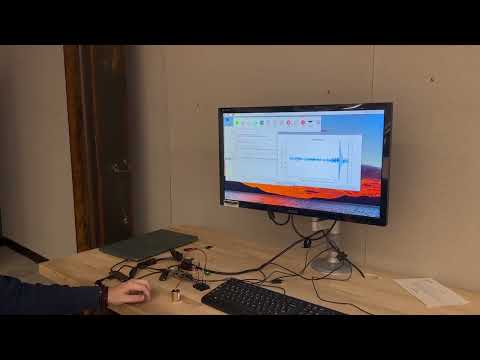
I connected the geophone sensor to a Raspberry Pi and used an ADC (analog-to-digital converter) to test it. (PS: we used a Raspberry Pi to test it, but replaced the Pi with an Esp32 microcontroller for sending the data over to the main Raspberry Pi that is with the Thermal Imaging sensor)

I finalized the sensors we need and the goals we need to achieve. Simran and Lauren were in charge of the testing Thermal Imaging sensor, Liuyi and I took on the task to test the Geophone sensor.
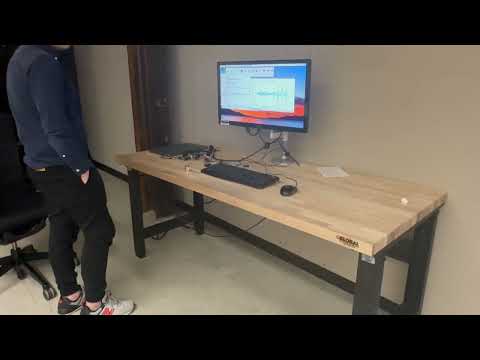
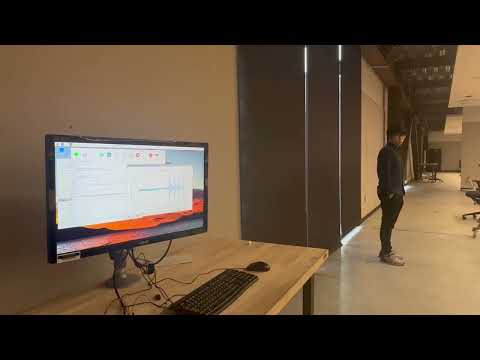
Geophone
Tap Test
Finger-tapping the desk surface to measure baseline sensitivity.
Geophone
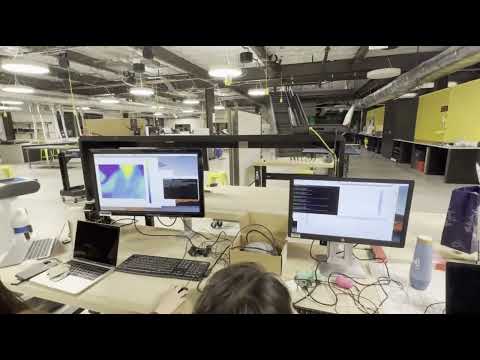
Light Stepping
Walking near the sensor to test floor vibration detection.
Geophone
Distance Test
Stepping 13 feet away. Signal was too strong โ€” we had to tune the threshold down.
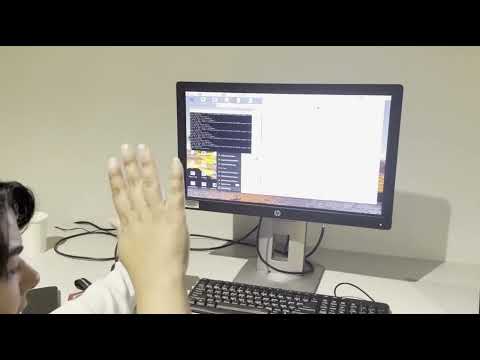
Thermal Imaging
Image Capture
Thermal camera capturing and saving heat signatures in real time.
Thermal Imaging
System Integration
Full system test: geophone triggers the thermal camera via Bluetooth LE.

Testing Sensors

I connected the geophone sensor to a Raspberry Pi and used an ADC (analog-to-digital converter) to test it. (PS: we used a Raspberry Pi to test it, but replaced the Pi with an Esp32 microcontroller for sending the data over to the main Raspberry Pi that is with the Thermal Imaging sensor)

Model
Built
Mushroom Nightlight
Geophone
ESP32
The geophone had to sit at floor level to capture vibrations accurately. A mushroom-shaped nightlight solved the placement problem without exposing any sensor hardware โ€” and doubled as bathroom lighting for elderly residents navigating at night.
One form factor solved two problems: precise sensor placement and safer nighttime navigation.
Model
Built
Picture Frame
Raspberry Pi
Thermal Camera
The thermal camera needed elevation to see across a full room. A picture frame already lives on shelves and walls, requires no explanation, and draws no attention to itself as a monitoring device.
Hidden in plain sight โ€” no one looks twice at a picture frame.

Enclosure Design

Caregiver app flow
01Incoming Alert
System trigger
Force-attention overlay
Resident + room
Thermal badge
View Details
Dismiss
Taps View Details
02Evidence Review
Fall confirmation
Thermal snapshot
Confidence ring ยท 94%
Floor heat signature
I'm on my way
False alarm
Caregiver responds
"I'm on my way"
En Route
Status updated
Activity logged
Household notified
Auto-resolves on arrival
"False alarm"
Alert Cleared
Alert dismissed
Logged in feed
Dashboard restored
Monitoring resumes
Key screens
01Monitor at a glance

One look tells you everything is normal โ€” motion, temperature, and sensor status in one view.

View real-time motion and temperature readings
Scroll the activity log for recent events
Check sensor battery and connectivity status
02Respond to a fall alert

See the room location and confidence level immediately.

Tap "View details" to review the thermal evidence
Dismiss if another caregiver has already handled it
See the room location and confidence level immediately
03Review the evidence

Inspect the thermal capture of the fall event.

Read the 94% confidence score and sensor data
Check time, location, and body temperature in one view
Call Robert, get directions, or notify other contacts
04Take action

One screen to call, get directions, or alert your care team.

Reach the household with a direct call
Open directions to the address
Alert family members and other caregivers about the fall

App Design

01
01

Hardwareconstraintssharpenedthedesign

Ruling out wearables and cameras forced a more specific answer. The geophone and thermal pairing emerged from elimination, and that constraint produced a more honest product than a blank-slate brief would have.

02
02

Privacyisthepremise,notafeature

Every sensor we considered required the person being monitored to accept a tradeoff. The system works without anyone wearing a device or being filmed. That's not a differentiator to market; it's a floor we set before design started.

03
03

Confidencemattersmorethanspeed

When an alert fires at 2am, the first question isn't 'how fast did we detect it?' It's 'is this real, and how bad is it?' The thermal evidence view and confidence score answer both before the caregiver is out of bed.

04
04

Wherethisgoesnext

Three directions worth exploring:

A
Pilot with real families to validate the 94% confidence outside a controlled environment
B
Scale to care facilities where one sensor network could monitor an entire floor
C
Move from reactive detection to proactive pattern analysis, surfacing gradual decline signals before a fall happens

Reflection

See Also